TL;DR
- 7B-parameter models with coordinate-free grounding are beating 72B-parameter behemoths on benchmark accuracy
- Screenshot token costs compound at scale; a typical enterprise deployment burns thousands daily on vision input
- The real battleground is visual token efficiency: reducing spatiotemporal redundancy without losing spatial precision
Your GUI agent demoed beautifully in January. By March, the inference bill matched a senior engineer’s salary. This is the visual GUI agent reality most teams discover only after shipping to production. The market for AI agents is projected to grow from $7.68 billion in 2025 to $52.62 billion by 2030 — a 46.3% CAGR [1]. Gartner predicts 40% of enterprise applications will feature task-specific AI agents by end-2026, up from less than 5% today [2]. But the same research warns that over 40% of agent projects could fail by 2027 due to runaway costs and unclear business value [2]. The real value of visual GUI agents is not mimicking human mouse movements; it is building systems that remain economically viable at production scale. That requires understanding where coordinate-free grounding, frozen-backbone architectures, and visual token efficiency outperform the default instinct to reach for the largest vision-language model available.
Why Coordinate-Free Grounding Changes the Accuracy Game for GUI Agents
Traditional GUI agents generate click coordinates as text tokens. The problem: a 1920x1080 screen has over 2 million possible coordinate pairs; however, the text tokenizer treats (1071, 482) much like ‘giraffe’ — arbitrary vocabulary. This creates weak spatial-semantic alignment and ambiguous supervision targets [3].
Microsoft’s GUI-Actor introduces a coordinate-free alternative. An attention-based action head learns to align a dedicated <ACTOR> token with visual patch tokens, enabling the model to propose action regions in a single forward pass — all without generating raw coordinates [3]. The results on ScreenSpot-Pro (a benchmark testing generalization across higher-resolution interfaces and domain shifts) are striking: GUI-Actor-7B achieves 44.6% with the Qwen2.5-VL backbone, while UI-TARS-72B scores only 38.1% [3][4].
| Model | Parameters | ScreenSpot-Pro | Training Approach |
|---|---|---|---|
| GUI-Actor-7B (Qwen2.5-VL) | 7B (~100M trainable) | 44.6% | LiteTrain: frozen backbone, action head only |
| GUI-Actor-7B (Qwen2-VL) | 7B (~100M trainable) | 40.7% | LiteTrain: frozen backbone, action head only |
| UI-TARS-72B | 72B (full fine-tuning) | 38.1% | End-to-end multi-agent feedback |
| ShowUI-2B | 2B | N/A [See note] | Zero-shot screenshot grounding |
The coordinate-free approach eliminates the granularity mismatch between dense coordinates and patch-level visual features [3]. Note: ShowUI-2B reports 75.1% zero-shot accuracy on screenshot grounding benchmarks with 33% fewer visual tokens during training, but does not report ScreenSpot-Pro scores directly [5].
ALERT
If your GUI agent pipeline generates coordinates as text output, consider whether an attention-based grounding head could align spatial regions directly. The accuracy gains on complex interfaces are substantial.
Frozen-Backbone Training: How GUI Agents Deliver Efficiency
GUI-Actor’s LiteTrain method demonstrates a counterintuitive insight: fine-tuning only ~100 million parameters while freezing the VLM backbone achieves state-of-the-art performance comparable to fully fine-tuned 72B models [3]. This preserves the backbone’s general-purpose vision-language capabilities while adding task-specific grounding precision.
Training a 72B parameter model for GUI grounding requires substantial GPU infrastructure; careful hyperparameter tuning across distributed nodes adds weeks to experimentation cycles. Training a 100M parameter action head (frozen 7B backbone) is dramatically more accessible. A single research-grade GPU node can iterate on architecture changes in hours rather than days [3].
ByteDance’s UI-TARS takes the opposite approach: native GUI agent models trained from scratch with multi-agent feedback loops, achieving 46.6% on AndroidWorld and 24.6% on OSWorld (50 steps) with their 72B configuration [4]. The trade-off is infrastructure and iteration velocity. Teams with fewer resources may find the frozen-backbone approach more compatible with rapid experimentation. See the frozen-backbone comparison table in the previous section above for the performance breakdown.
The efficiency gap determines how quickly teams can experiment with architectural variants. In GUI agent development, where interface layouts shift constantly (web apps update, desktop software refreshes), iteration velocity often beats raw model capacity.
Frozen-backbone training also preserves generalization. When a new interface pattern emerges, the backbone’s pre-trained visual understanding transfers without degrading performance on novel UI layouts. Full fine-tuning risks overfitting to the training distribution, degrading performance on novel UI layouts.
The Screenshot Token Problem: Where GUI Agent Costs Explode
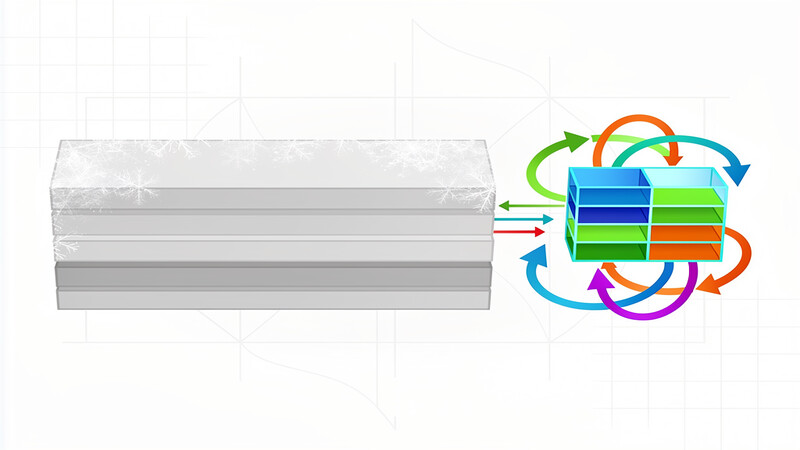
At OpenAI’s standard pricing, every screenshot fed to a GPT-4o-class model consumes approximately 1,290 tokens [6]. A single 1024x1024 screenshot costs roughly $0.003225 at $2.50 per million input tokens. This sounds trivial until multiplied by production volume.
720-1,200 screenshots per hour: this is what a typical enterprise GUI agent generates when taking a screenshot every 3-5 seconds during task execution. At $0.003 per screenshot, vision input costs alone yield $2.16-3.60 per hour. For a 24/7 deployment handling 100 concurrent tasks, daily vision costs reach $5,184-8,640 before accounting for text generation output [6].
The GUIPruner research highlights why these costs compound so completely: pure-vision GUI agents suffer from severe efficiency bottlenecks due to extreme spatiotemporal redundancy in high-resolution screenshots and historical action trajectories [7]. Every pixel is processed on every turn; even when nothing on screen has changed, the model receives full visual context.
Screen Parsing Strategies for GUI Agents: YOLO, OmniParser, and Domain-Specific Pipelines
Screen parsing — identifying interactive elements before the LLM processes the full screenshot — offers one path toward token efficiency. Microsoft’s OmniParser framework uses a fine-tuned YOLOv8-Nano detector trained on 67,000 screenshots with DOM-derived bounding boxes [8]. The approach achieves practical detection speed with small model overhead.
Independent research on YOLO-based GUI detection reports mAP50 of 0.81 on custom datasets, substantially outperforming Faster R-CNN’s 0.47 [9]. The inference speed difference is equally significant: YOLOv8-Nano processes frames in real-time on CPU, while heavier detectors may add unacceptable latency to interactive agents.
The trade-off is coverage. Screen parsing works reliably on web DOMs and standard desktop widgets; however, it degrades on custom UI frameworks, game engines, and specialized industrial software. The OSWorld benchmark reveals a persistent 60-point performance gap between humans and AI agents on complex cross-app GUI tasks, demonstrating that current visual grounding remains brittle outside controlled environments [10].
| Approach | Strengths | Limitations | Best For |
|---|---|---|---|
| Full screenshot VLM | Universal coverage, no preprocessing | High token costs, slow inference | Rapid prototyping, unknown UI types |
| OmniParser + YOLO | Fast detection, focused attention | DOM dependency, coverage gaps | Web apps, standard desktop software |
| Coordinate-free grounding | Precise localization, smaller models | Requires task-specific training | High-volume, well-defined interfaces |
Production Patterns from the Field: What Deployed GUI Agent Teams Report
Beyond benchmarks, production deployments face constraints academic papers rarely address. A ZenML case study of Quik’s agent deployment reports achieving 60% resolution of tier-one support issues autonomously, with higher reported quality than human agents [11]. This suggests accuracy is not the only metric that matters: reliability and fallback patterns for the remaining 40% determine whether an agent survives in production.
The Gartner projection that agentic AI could drive approximately 30% of enterprise application software revenue by 2035 — roughly $450 billion annually — indicates significant commercial momentum [2]. But the same research warns that over 40% of agent projects could fail by 2027, primarily due to runaway inference costs, unclear business value metrics, and agents violating policy constraints.
Deploying teams share common architectural decisions: frozen backbones with task-specific heads; aggressive visual token reduction through screen parsing or state change detection; and tight latency budgets that preclude the largest available models regardless of their benchmark scores.
ALERT
The 7B parameter models costing $2-3 per hour to run can be economically viable. The 72B models at 10x higher inference costs require extreme selectivity in task assignment and aggressive caching strategies to avoid budget overruns.
Visual Token Efficiency: The Underappreciated Bottleneck for GUI Agents
OpenAI’s Computer Use API offers evidence that visual GUI agents can achieve production deployment at scale [12]; however, the cost implications of per-screenshot token pricing remain significant (see the token pricing analysis). ShowUI’s 33% reduction in visual tokens during training, achieved via a specialized screenshot tokenizer, hints at the efficiency gains available from domain-specific architectures [5].
General-purpose VLMs treat screenshots as photographs. GUI-specific architectures can exploit the structured nature of interface elements — rectangular regions, text hierarchies, predictable layouts — to compress visual information without losing grounding fidelity. The UGround framework from OSU demonstrates that pure vision approaches can outperform multimodal baselines by up to 20% absolute across benchmarks when designed with explicit spatial reasoning components [13].
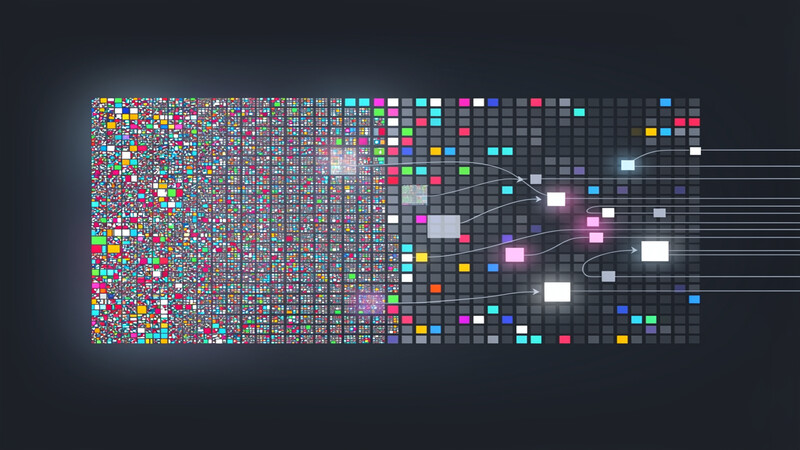
For production systems, the most impactful optimization is often reducing screenshot frequency. An agent capturing screen state only on significant DOM mutations or user actions — rather than polling at fixed intervals — can cut vision costs by 60-80% depending on task dynamics [7].
Practical Takeaways
- Evaluate coordinate-free grounding heads before defaulting to coordinate generation. The accuracy gains on ScreenSpot-Pro benchmarks suggest this architectural choice outperforms raw model scaling.
- Start with frozen-backbone architectures for GUI grounding experiments. The iteration velocity from training only ~100M parameters versus full fine-tuning of multi-billion-parameter models accelerates architectural discovery.
- Calculate total screenshot token costs before deploying any visual GUI agent. At 1,290 tokens per image, vision input dominates economics more than generation output for typical agent task patterns.
- Implement state change detection to reduce screenshot frequency. Processing only when the interface actually changes can cut vision costs by 60-80% compared to fixed-interval polling.
- Benchmark screen parsing against full-screenshot approaches on your specific UI types. YOLO-based detection achieves strong mAP50 on web DOMs but degrades on custom frameworks and game engines.
Conclusion
Visual GUI agents represent one of the most practical applications of large vision-language models — but only for teams that build with production economics in mind. The next breakthrough may not come from scaling model size but from compressing visual tokens by an order of magnitude. Research into native multimodal architectures that bypass screenshot tokenization entirely could reshape the economics of this space within two years.
Frequently Asked Questions
How much do screenshot tokens cost?
About $0.003 per 1024x1024 screenshot at GPT-4o pricing.
Should I use a frozen backbone or fine-tune the entire model?
Start with frozen backbones. GUI-Actor’s LiteTrain results show that frozen backbones with task-specific heads (~100M trainable parameters) can match or exceed full fine-tuning of 72B models. See the frozen-backbone comparison table in the Why Coordinate-Free Grounding section above for the specific performance breakdown.
Why do smaller models sometimes outperform larger ones on GUI benchmarks?
The UI-TARS-72B versus GUI-Actor-7B comparison suggests that architectural optimization for spatial grounding matters more than raw parameter count when the task involves precise visual localization. The coordinate-free grounding head and frozen-backbone efficiency of GUI-Actor appear to confer advantages that brute-force scaling does not replicate. The 7B-parameter GUI-Actor with attention-based grounding outscores 72B-parameter UI-TARS on ScreenSpot-Pro because architectural fit beats raw parameter count when the task demands precise visual localization.
Are screen parsing approaches like OmniParser reliable for all GUI types?
Screen parsing works reliably on web-based interfaces and standard desktop widgets where DOM extraction is possible. Coverage degrades significantly on custom UI frameworks, game engines, and specialized industrial software where element detection requires pure vision approaches. The OSWorld benchmark’s 60-point human-AI gap on complex cross-app tasks reflects this brittleness.
How will multimodal foundation models impact GUI agent architectures?
The interaction between native multimodal architectures and GUI-specific training regimes remains underspecified in current research. Whether future models will eliminate the need for task-specific grounding heads or make them more critical is an open question that will shape the next generation of agent tooling. Teams should architect for modularity to accommodate either outcome, ensuring systems can adapt as the underlying technology evolves without requiring complete rewrites.
Sources
| # | Publisher | Title | URL | Date | Type |
|---|---|---|---|---|---|
| 1 | Grand View Research | “Artificial Intelligence (AI) Agents Market Size Report” | https://www.grandviewresearch.com/industry-analysis/artificial-intelligence-ai-agents-market | 2025 | Report |
| 2 | Gartner (via DevOpsDigest) | “AI Agent Adoption Predictions 2025-2026” | https://www.devopsdigest.com/gartner-40-of-enterprise-apps-will-feature-task-specific-ai-agents-by-2026 | 2026 | Report |
| 3 | Microsoft Research (NeurIPS 2025) | “GUI-Actor: Coordinate-Free Visual Grounding for GUI Agents” | https://arxiv.org/abs/2506.03143 | 2025-06 | Paper |
| 4 | ByteDance Seed | “UI-TARS: Scaling GUI Grounding with Multi-Agent Feedback” | https://arxiv.org/abs/2501.12326 | 2025-01 | Paper |
| 5 | CVPR 2025 | “ShowUI: One Vision-Language-Action Model for GUI Visual Agent” | https://openaccess.thecvf.com/content/CVPR2025/papers/Lin_ShowUI_One_Vision-Language-Action_Model_for_GUI_Visual_Agent_CVPR_2025_paper.pdf | 2025 | Paper |
| 6 | OpenAI | “API Pricing and Tokenization Guide” | https://openai.com/api/pricing | 2025 | Documentation |
| 7 | arXiv | “GUIPruner: Efficient High-Resolution Screen Navigation” | https://arxiv.org/html/2602.23235v1 | 2026-02 | Paper |
| 8 | Microsoft Research | “OmniParser: Vision-based GUI Agent Framework” | https://microsoft.github.io/OmniParser/ | 2025 | Technical |
| 9 | IEEE Eleco | “YOLO-based GUI Element Detection” | http://www.eleco.org.tr/ELECO2023/eleco2023-papers/56.pdf | 2023 | Paper |
| 10 | MarkTechPost | “Top 7 Benchmarks for Agentic Reasoning in LLMs” | https://www.marktechpost.com/2026/04/26/top-7-benchmarks-that-actually-matter-for-agentic-reasoning-in-large-language-models/ | 2026-04 | Blog |
| 11 | ZenML | “Lessons Learned from Deploying 30+ GenAI Agents in Production” | https://www.zenml.io/llmops-database/lessons-learned-from-deploying-30-genai-agents-in-production | 2026 | Blog |
| 12 | OpenAI | “Computer Use API Documentation” | https://platform.openai.com/docs/guides/tools-computer-use | 2025 | Documentation |
| 13 | OSU NLP Group (ICLR 2025) | “UGround: Visual Grounding for GUI Agents” | https://osu-nlp-group.github.io/UGround/ | 2025 | Paper |
Image Credits
- Cover photo: Image generated with Flux Pro 1.1 (ContentForge AI illustration)
- Figure 1: Image generated with Flux Pro 1.1 (ContentForge AI illustration)
- Figure 2: Image generated with Flux Pro 1.1 (ContentForge AI illustration)